

Howto configure openbao with keycloak authentication#
Intended audience
staff members
Openbao authentication is managed through the swh ref:keycloak instance.
Keycloak - OpenBao OIDC Integration#
On Keycloak UI#
Create a new client (e.g.
openbao-client).
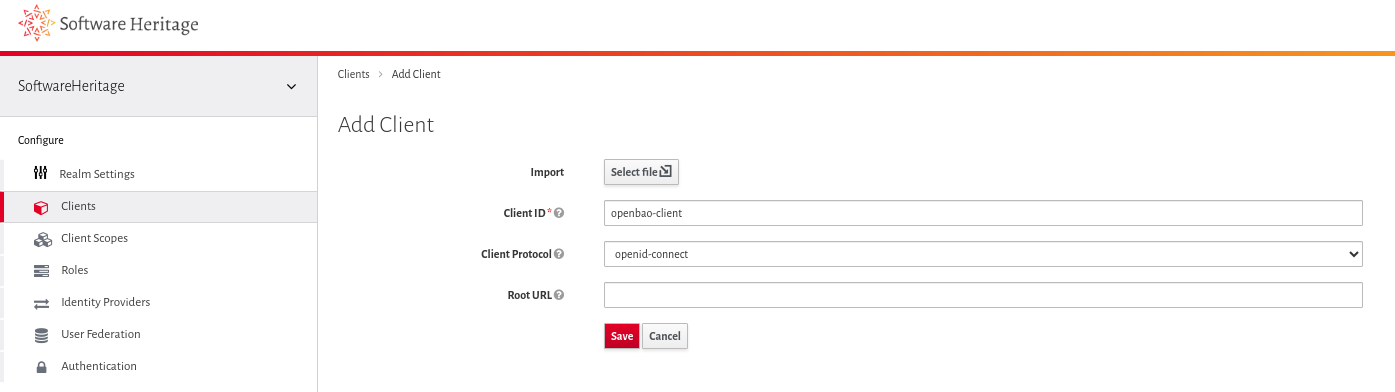
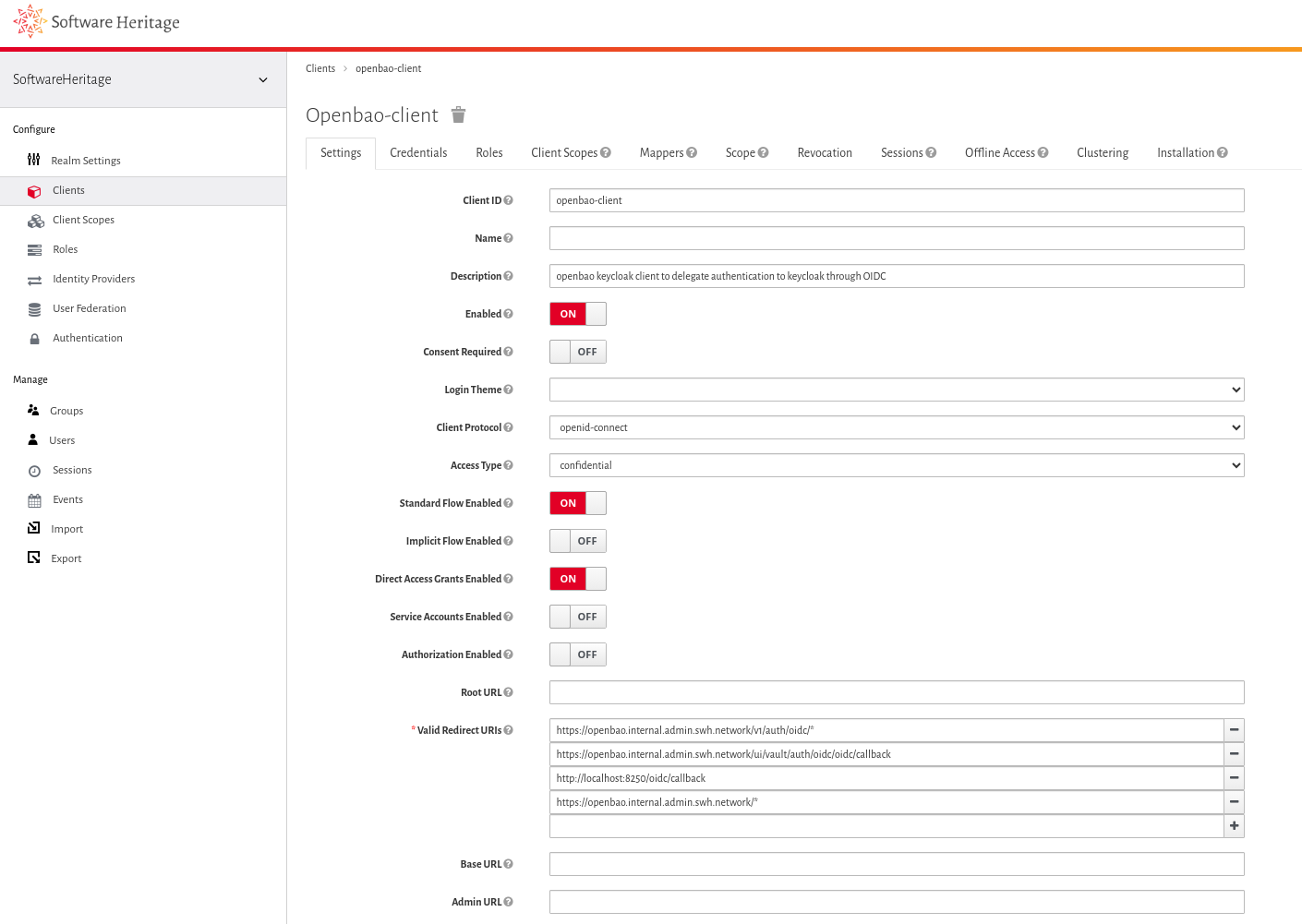
Configure it roughly as described in the first section of the OpenBao documentation.
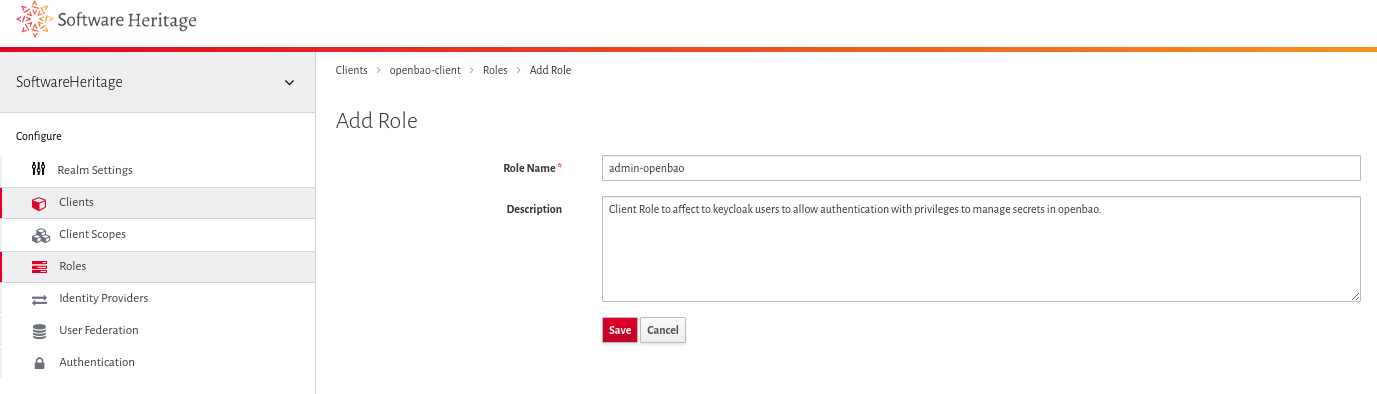
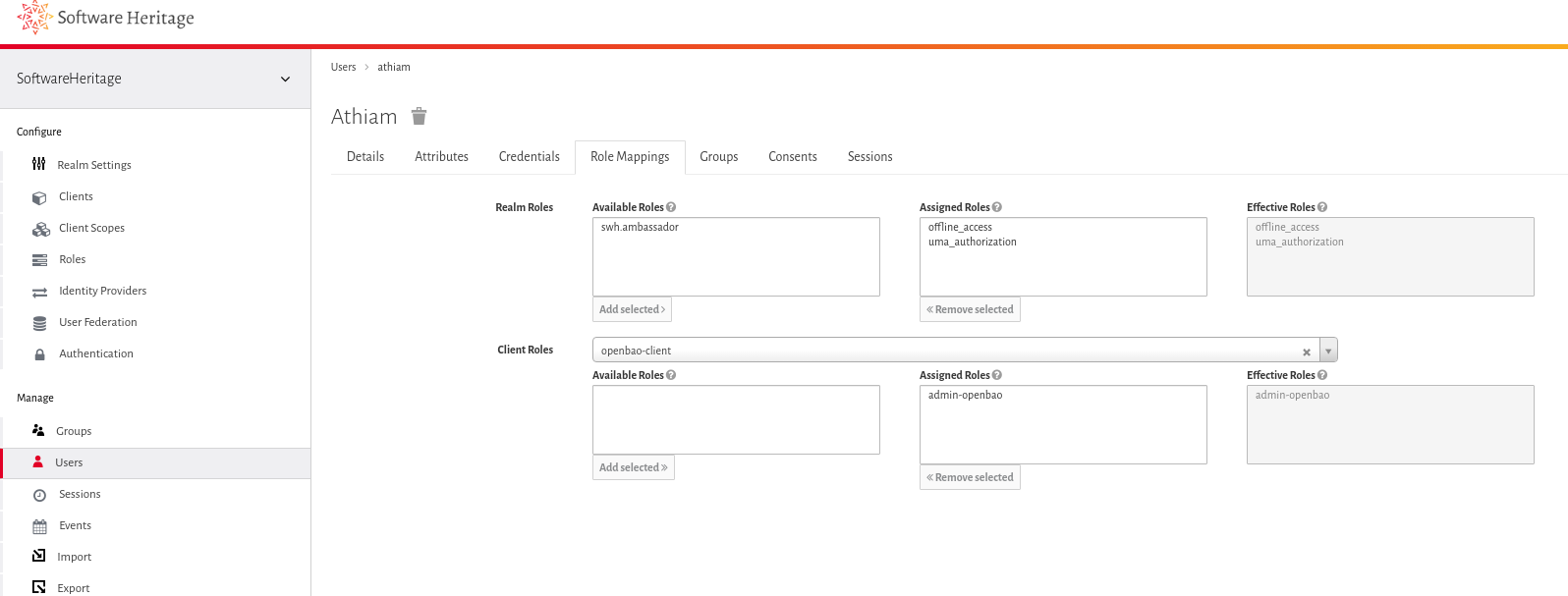
Create an associated client role called
admin-openbao.
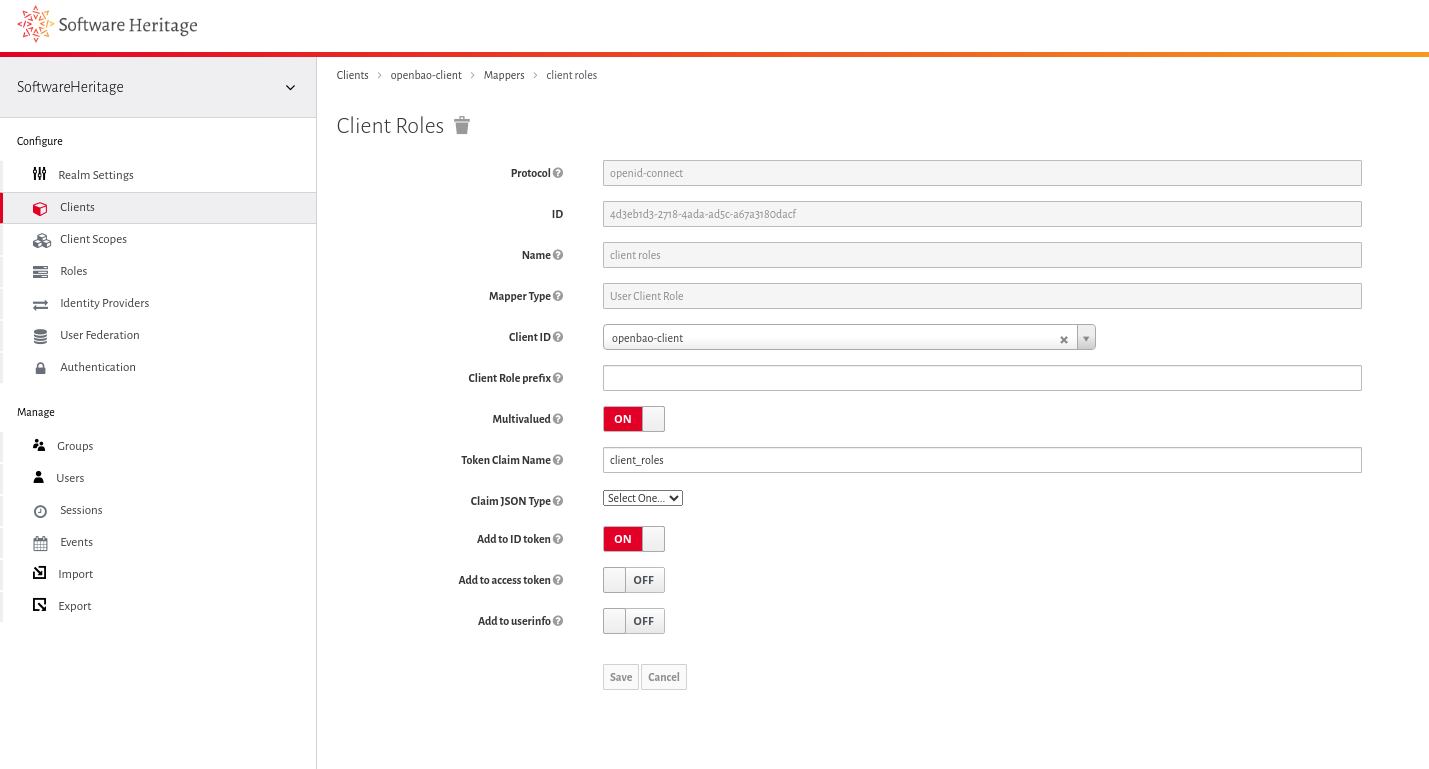
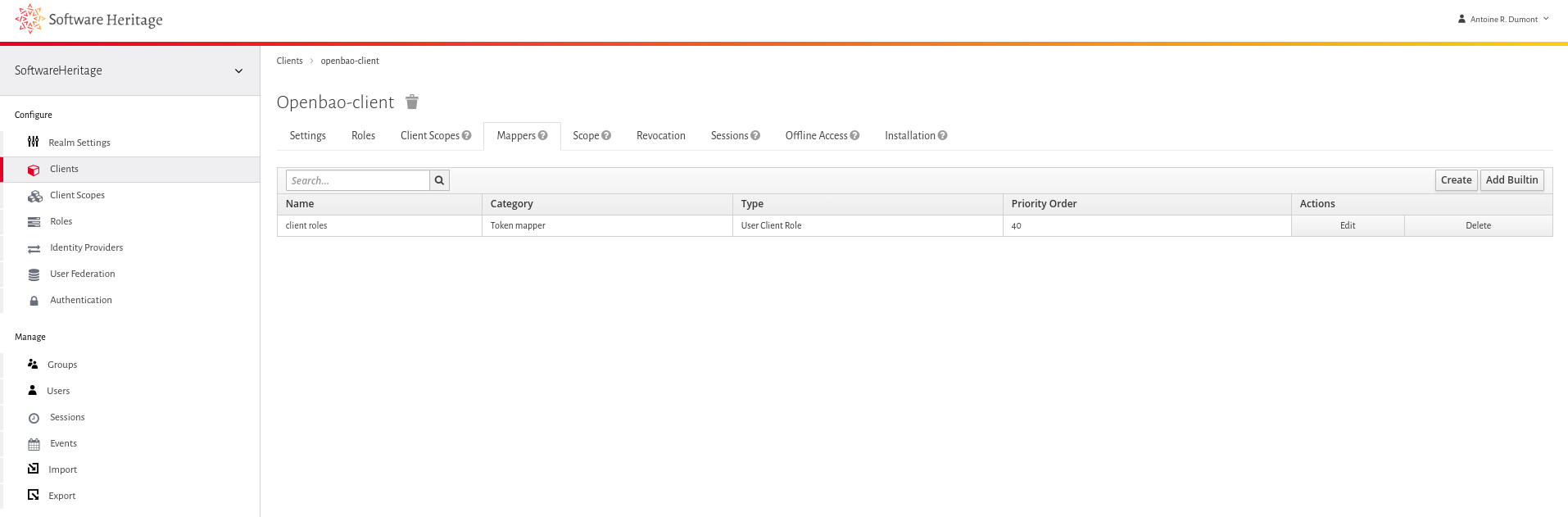
Add a mapper on the client:
Use the default-shipped Client Roles mapper.
Set Token claim name to
client_roles.Enable Add to ID token (other “Add to … token” options are not needed).
Assign this client role to at least one sysadm user (for testing purpose).
On OpenBao’s side#
Admin should connect to one of the bao pods in the infrastructure.
Configure OIDC on the OpenBao pod#
export TOKEN="obtain-this-from-keycloak-ui-on-new-client-tab-credentials"
bao write auth/oidc/config \
    oidc_client_id="openbao-client" \
    oidc_client_secret="$TOKEN" \
    default_role="admin-openbao" \
    oidc_discovery_url='https://auth.softwareheritage.org/auth/realms/SoftwareHeritage'
Ensure the configuration is as expected.
/ $ bao read auth/oidc/config
Key                              Value
---                              -----
bound_issuer                     n/a
default_role                     admin-openbao
jwks_ca_pem                      n/a
jwks_url                         n/a
jwt_supported_algs               []
jwt_validation_pubkeys           []
namespace_in_state               true
oidc_client_id                   openbao
oidc_discovery_ca_pem            n/a
oidc_discovery_url               https://auth.softwareheritage.org/auth/realms/SoftwareHeritage
oidc_response_mode               n/a
oidc_response_types              []
override_allowed_server_names    []
provider_config                  map[]
status                           valid
Create an admin policy#
Role in openbao are managed access through bao policies. The new role admin-openbao should have crud access to credentials.
bao policy write admin-openbao-policy -<<EOF
path "*" {
    capabilities = ["list", "read", "create", "update"]
}
EOF
Configure the associated role#
We associate such admin-openbao-policy to the admin-openbao role.
bao write auth/oidc/role/admin-openbao \
    role_type="oidc" \
    user_claim="sub" \
    policies="admin-openbao-policy" \
    oidc_scopes="profile,email" \
    allowed_redirect_uris="https://openbao.internal.admin.swh.network/v1/auth/oidc/callback,https://openbao.internal.admin.swh.network/ui/vault/auth/oidc/oidc/callback,http://localhost:8250/oidc/callback"
Bind the client role via a claim#
We want to restrict access to specific users with a specific (keycloak) client role. In this case, the keycloak users with admin-openbao client role.
So, we add a bound_claim check (JSON) to ensure the user has the correct
permission. Use the token claim name defined in the Keycloak UI
(client_roles) and the Keycloak client role name (admin-openbao -
not the OpenBao role).
# This updates the existing role with such claim
bao write auth/oidc/role/admin-openbao -<<EOF
{"bound_claims": { "client_roles": ["admin-openbao"] }}
EOF
Test#
Web UI#
Open the OpenBao UI and select the OIDC authentication method.
Leave the role field empty (fill it only if you have defined a second role with fewer privileges).
If the user has the required client role, login succeeds and the UI loads.
They can login and actually read or write openbao secrets.
If the role is missing, the user will see an error such as:
> Vault login failed. error validating claims: claim “client_roles” is missing
They cannot login so it’s fine.
Command-line#
From the comfort of your own shell, this can be tested out.